This article is for administrators.
Access Gravity and start using it
Step 1. Contact the Recruiting Support team to turn on Gravity for your organization.
Step 2. Sign up for the Gravity app with one of your social accounts, such as LinkedIn, Facebook, Twitter, Yahoo!, Amazon, or Google.
Step 3. When prompted, enter your work email address that uses your company domain to verify your identity.
Customize Gravity
Add or change referral rewards:
- In Gravity, go to the Administration section.
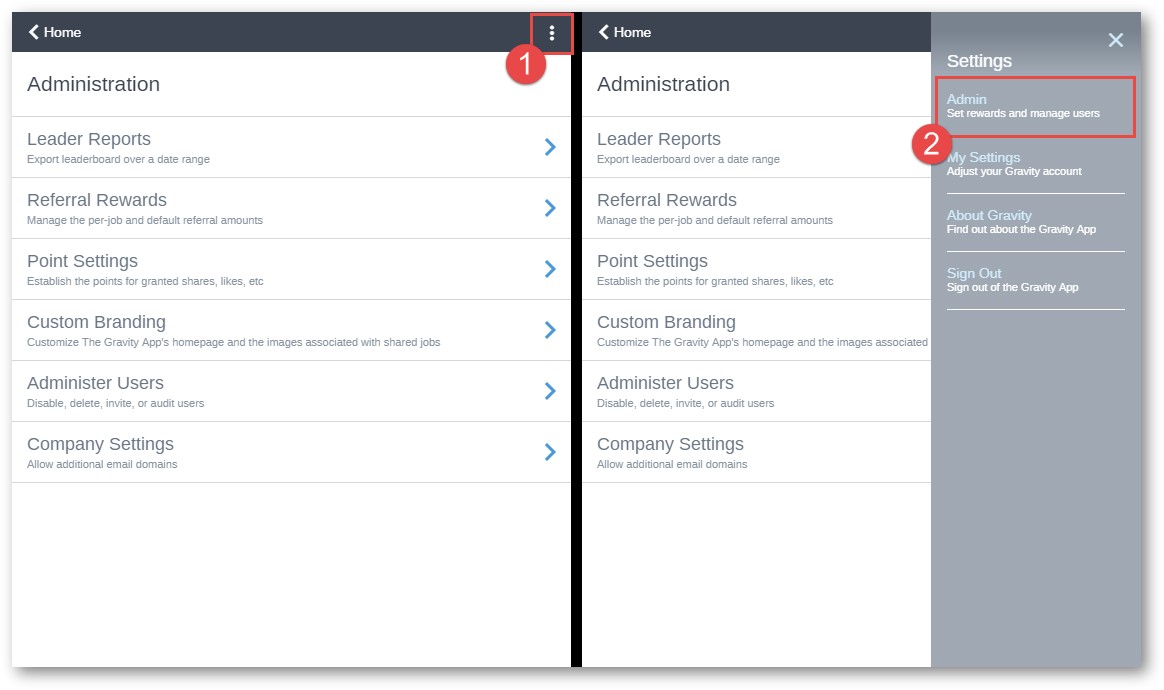
- Select Referral Rewards.
- Turn the Referral Feature On.
- In the Referral Value boxes, add the reward amount for each job. You can use any currency.
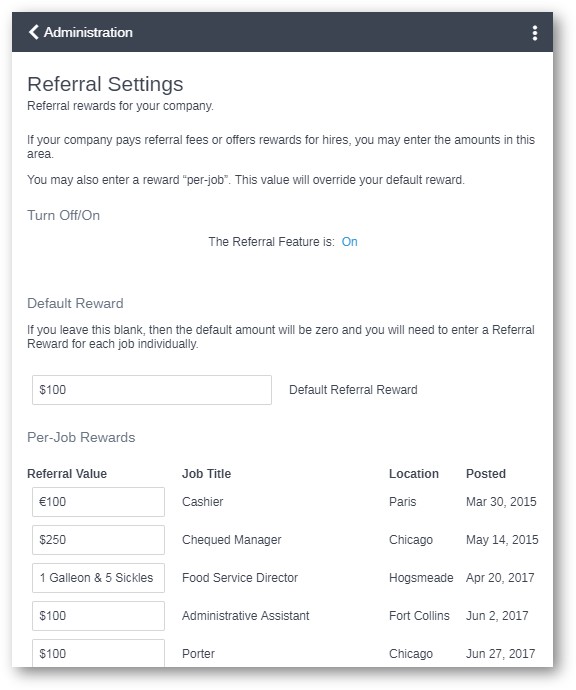
- Select Submit.
Change point settings:
- Go to the Administration section and select Point Settings.
- Set the point value or number of points employees can earn for each action.
- To keep the points fair and meaningful, some companies give points only for:
- A real job application (Apply)
- A real hire (Hired)

- Select Submit.
Add custom branding:
- Go to the Administration section and select Custom Branding.
- Choose the welcome message, add your company logo, and more. This changes how the Gravity app and shared posts look.

- Select Submit.
Updated: March 24th, 2026 6353 views 0 likes
*This content is for educational purposes only, is not intended to provide specific legal advice, and should not be used as a substitute for the legal advice of a qualified attorney or other professional. The information may not reflect the most current legal developments, may be changed without notice and is not guaranteed to be complete, correct, or up-to-date.